
OCEANMAIL / RESELLER GUIDE
Domain and DNS
Verify ownership and configure mail DNS.
Domain ownership
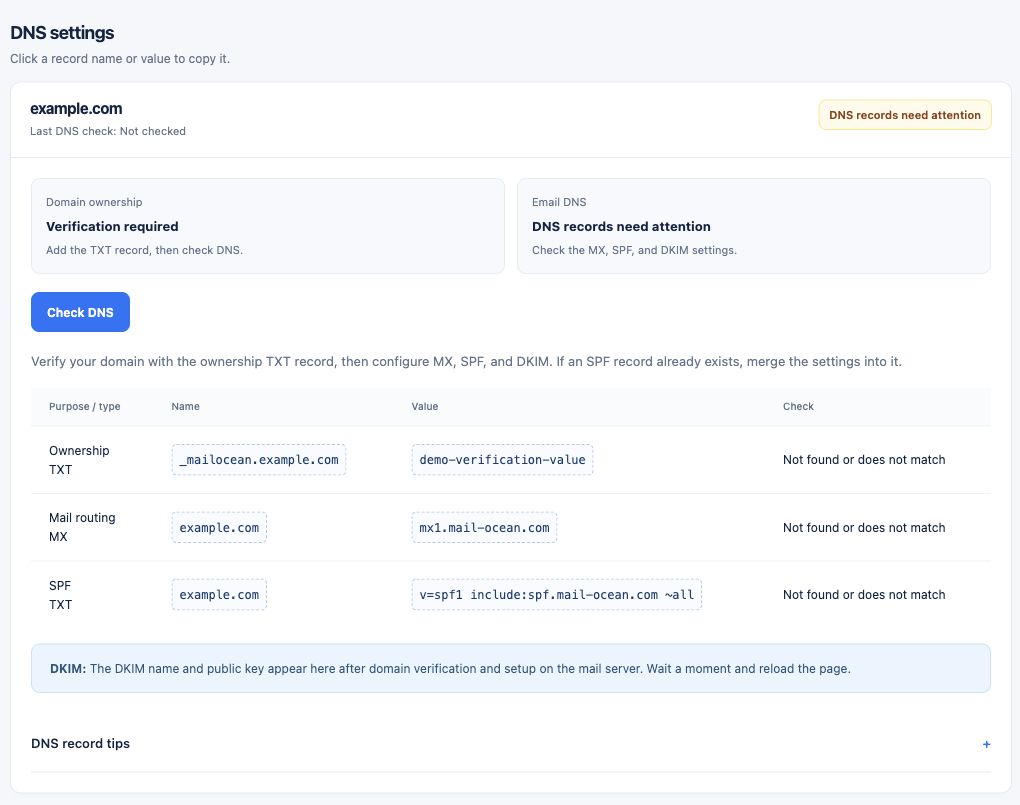
Before using a customer domain with OceanMail, verify ownership using the TXT record shown in the portal.
- Select the customer domain and confirm it is linked to the intended service.
- Open domain details in the customer portal and obtain the ownership TXT name and value.
- Add a TXT record with those exact values at the domain’s DNS provider.
Configuration
- Open the domain details under Customer portal → Domains.
- Add the displayed ownership TXT record at the domain’s DNS provider.
- Allow DNS propagation and run the check on the domain page.
- Once ownership is verified, configure the MX, SPF, DKIM and other required records shown there, then check again.
Before changing DNS
Review existing mail service and your migration plan before modifying MX or SPF. Duplicate SPF records and incorrect MX records can affect delivery.
- Record the existing mail service, MX and SPF configuration.
- If another provider is active, plan any MX change around verification of your migration.
- Avoid duplicate SPF records and follow your DNS provider’s instructions when merging settings.